








A Django admin theme is worth adding when the admin already fits your workflow but the interface gets in the way. If the workflow itself is the problem, a theme is probably the wrong fix. The right choice is usually the smallest option that solves the actual problem.
What does a Django admin theme actually change?
Django admin is built around your application's models. Your admin settings decide what people can see, edit, search, filter, and manage. If you need an application built around a specific task instead, Django's own documentation recommends writing custom views.
A focused theme changes how the admin looks and feels while leaving those rules in place. It can improve navigation, spacing, tables, forms, controls, colour choices, and how pages behave on smaller screens. It should not change your data model or take over your business rules.
In practice, a clearer changelist can make rows easier to scan, but it cannot speed up a slow queryset or decide who may edit a record. A better form can group fields and keep save actions close by, but your application still decides whether the submitted data is valid.
Django admin documentation The official Django 6.0 admin reference
When is standard Django admin the better choice?
Keep the standard admin when your team can already get its work done without much friction. You avoid another dependency, stay close to Django's release cycle, and have fewer places to look when something behaves unexpectedly.
- Your team uses the admin occasionally and can already find the models and actions it needs.
- A better
list_display,search_fields,list_filter, orfieldsetssetup solves the real problem. - One small template or CSS override in your project is enough.
- You want the fewest dependencies and the most direct Django upgrade path.
- You do not need extra branding, denser pages, persistent navigation, or display preferences.
I would always start with the smallest change that could solve the problem. Improving the relevant ModelAdmin is often more useful than adding a theme on top of a weak admin setup.
| Option | Best when | Main tradeoff |
|---|---|---|
| Standard Django admin | It already supports the workflow | Least visual change |
| Small project override | One focused problem needs solving | Your project owns the maintenance |
| Focused admin theme | Navigation, presentation, and daily usability are the problem | It adds a dependency |
| Custom back office | The workflow itself must change | It requires substantially more development |
What should you check before choosing a theme?
Normal Django admin behaviour
Install the theme in a disposable branch with representative data. Test the permissions, forms, actions, filters, and custom admin views your project already uses. A visual change should not become a second place for business rules.
Runtime and dependencies
Read the package metadata and open the result in your browser. Some themes stay close to Django's server-rendered templates. Others add a frontend framework, asset pipeline, API, database models, or extra settings. Those additions may be useful, but each one brings more upgrade and debugging work.
Supported and tested versions
Check both the supported versions and the environment the maintainer actually tests. A wide version range tells the package installer what it is allowed to install. It does not mean every combination receives the same testing. Confirm Python and Django support before you upgrade.
Navigation and busy tables
Use a project with enough apps, models, filters, and rows to make the design work. Check long labels, wide tables, active filters, bulk actions, and navigation with many items. An empty demo can look great while hiding the parts that matter in daily use.
Long forms
Open the forms your team really edits. Check fieldsets, inline models, relationship selectors, date and time controls, validation errors, help text, and whether save actions remain easy to reach on a long page.
Light mode, dark mode, and smaller screens
Test both colour modes, browser zoom, narrow screens, long text, keyboard access, and touch targets. You may rarely use Django admin on a phone, but the occasional urgent task still needs to work.
Accessibility
Check keyboard access, visible focus, labels, contrast, zoom, reflow, reduced motion, and error messages in your own project. Do not rely on an accessibility claim unless the maintainer explains what was tested and how.
Project overrides and removal
Read the documentation for templates, CSS hooks, static-file order, upgrades, and removal. Your project should continue to own its custom behaviour. You should be able to remove the theme without losing the rules or workflows you added yourself.
Maintenance
Check recent releases, package metadata, source code, open issues, and how many other packages the theme depends on. Release frequency alone does not say much. Clear scope, accurate compatibility details, and understandable changes matter more.
How should you compare a theme in a real project?
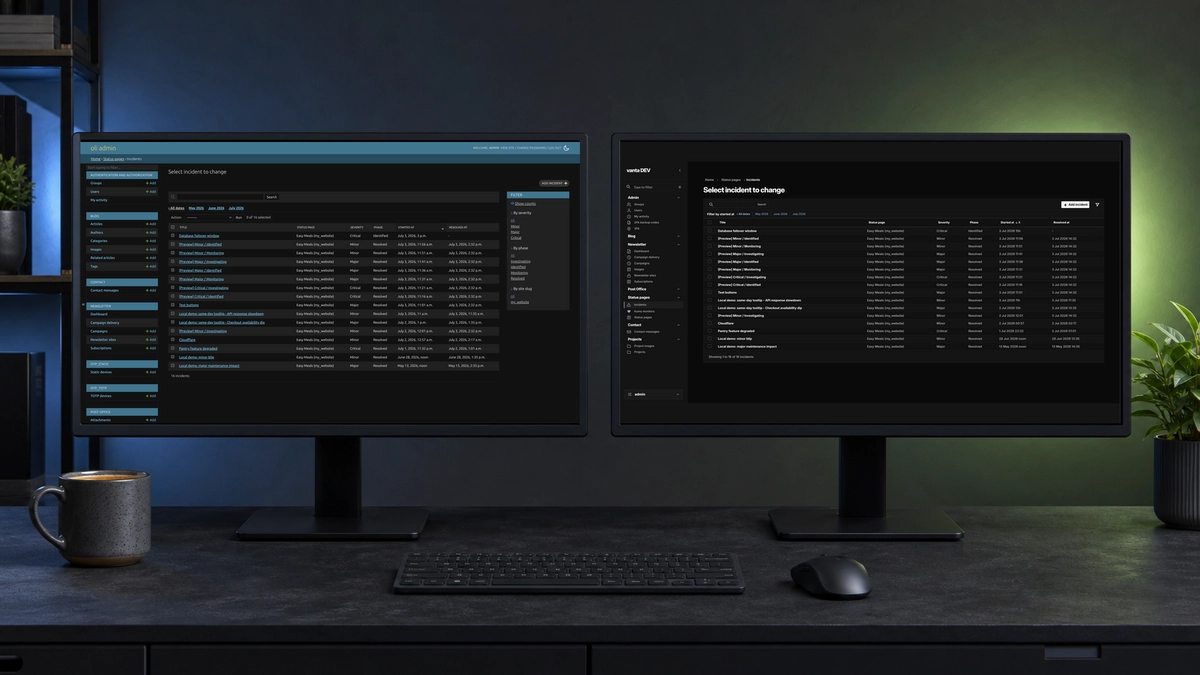
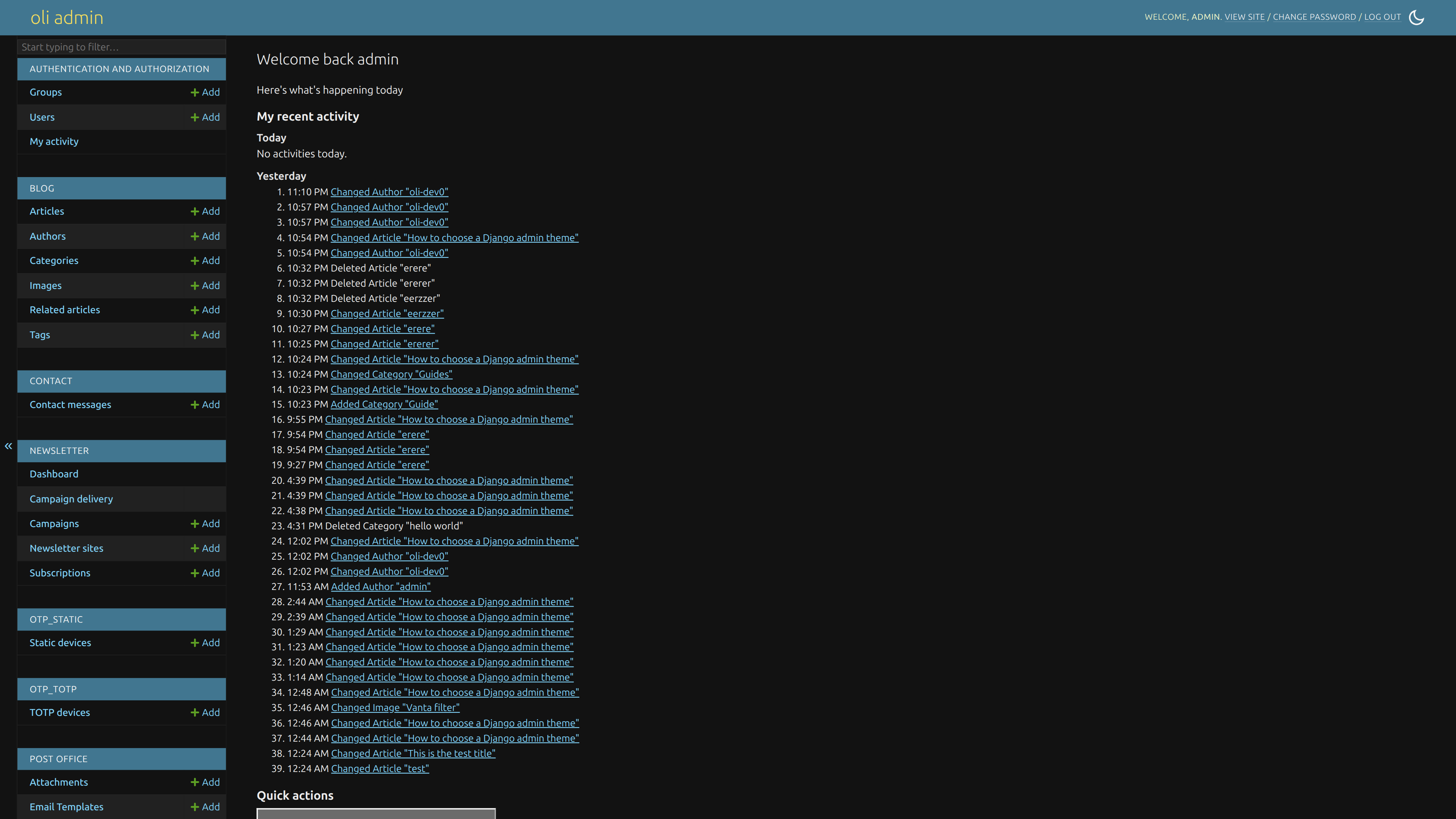
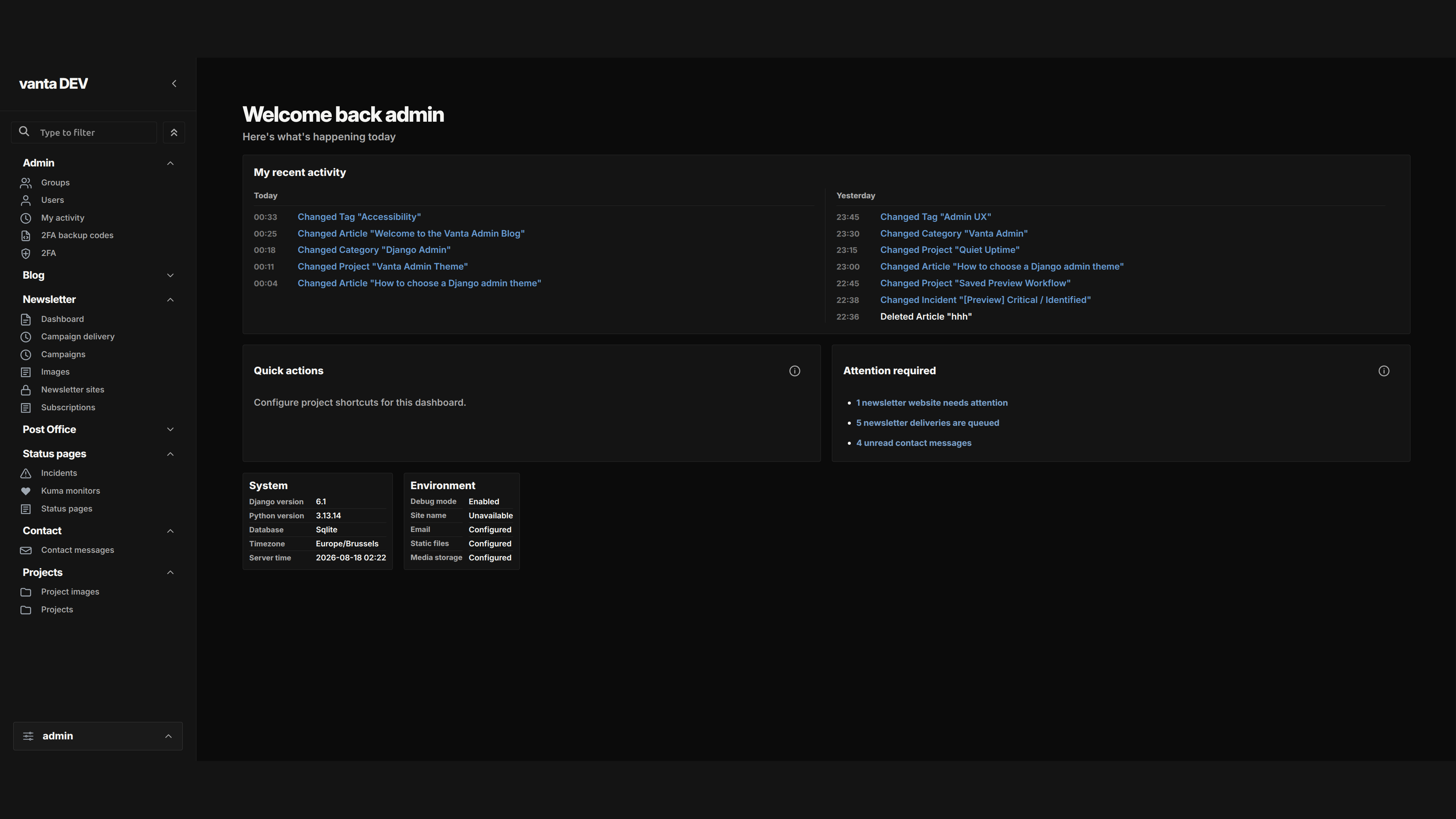
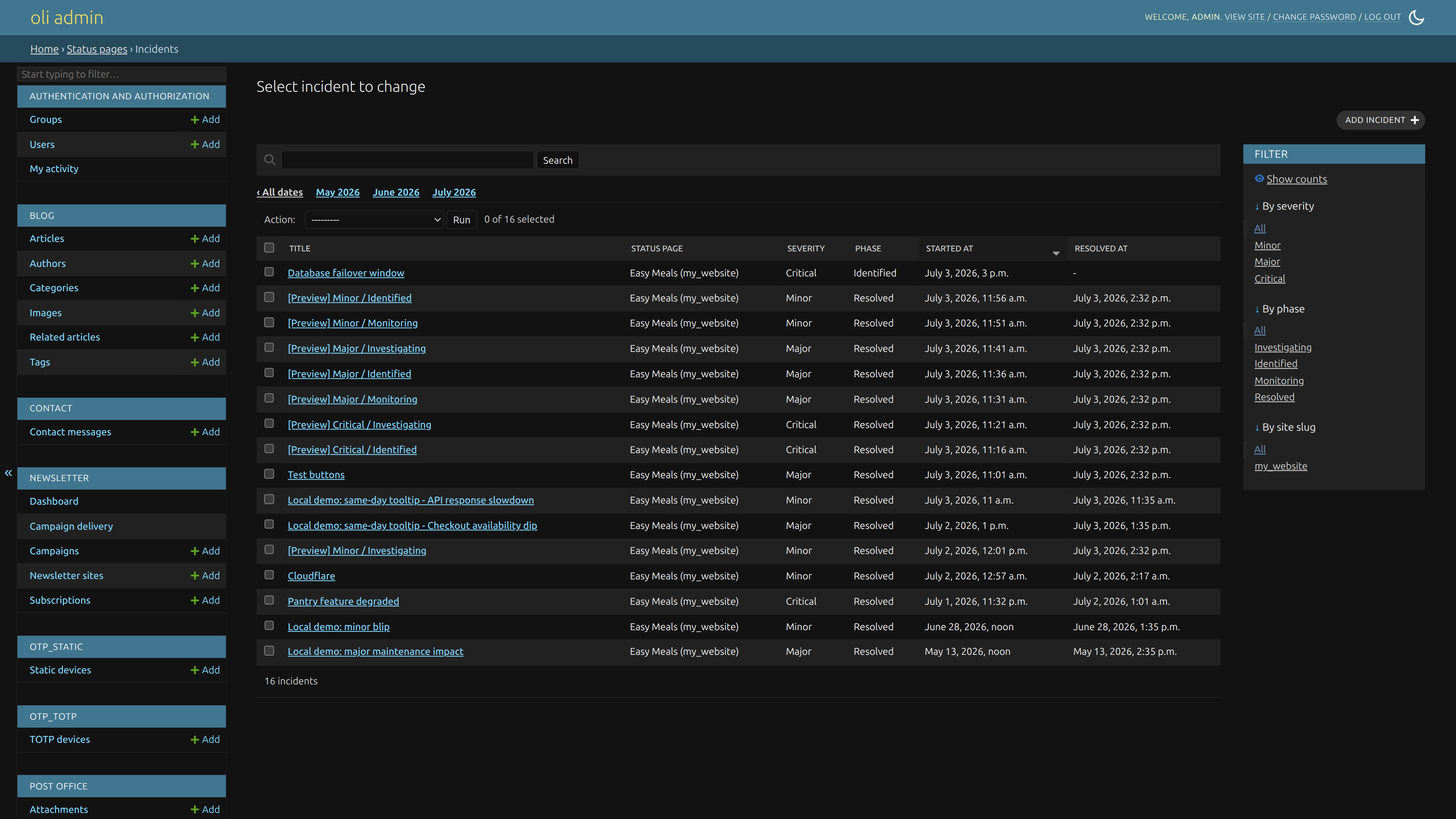
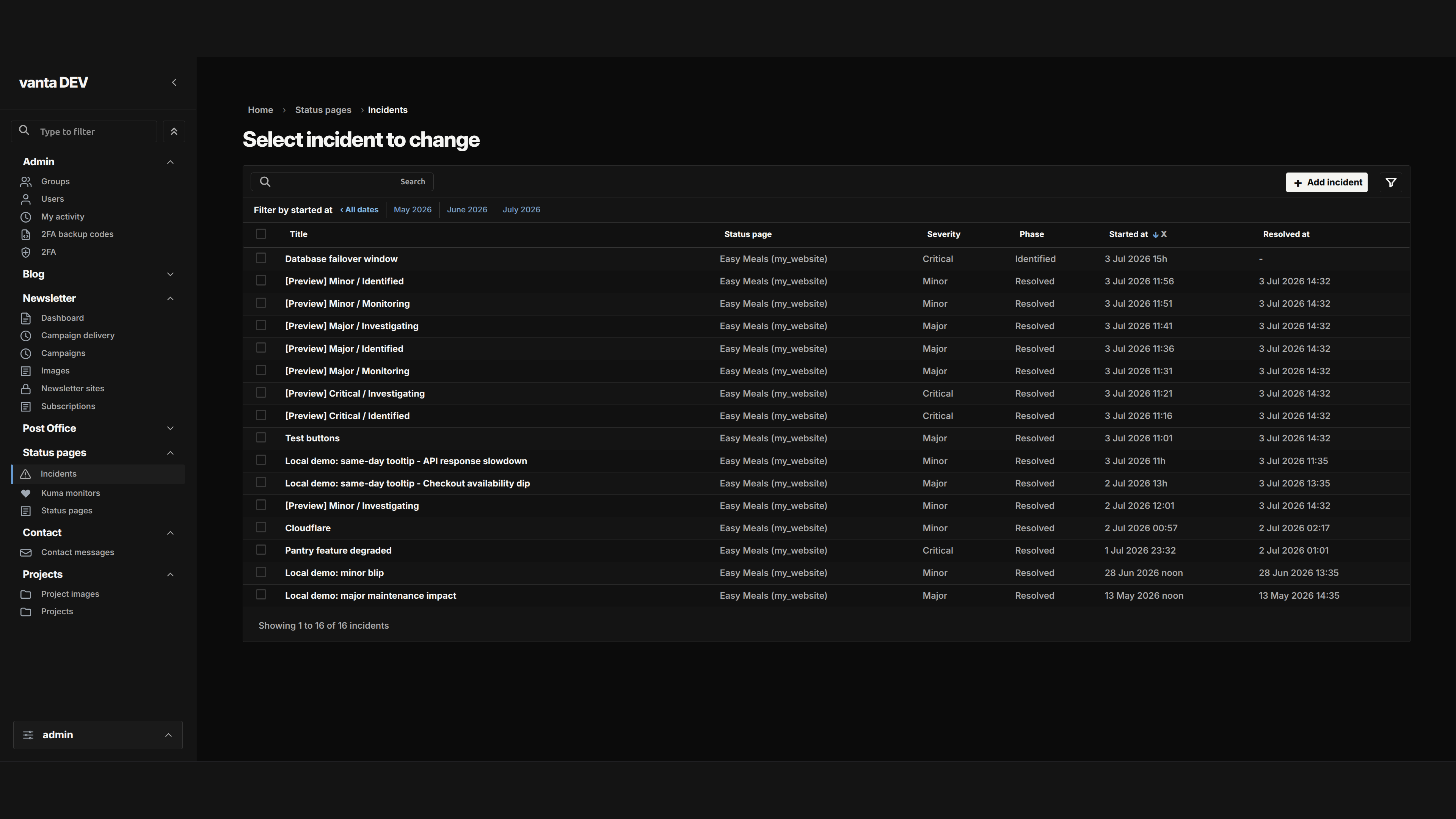
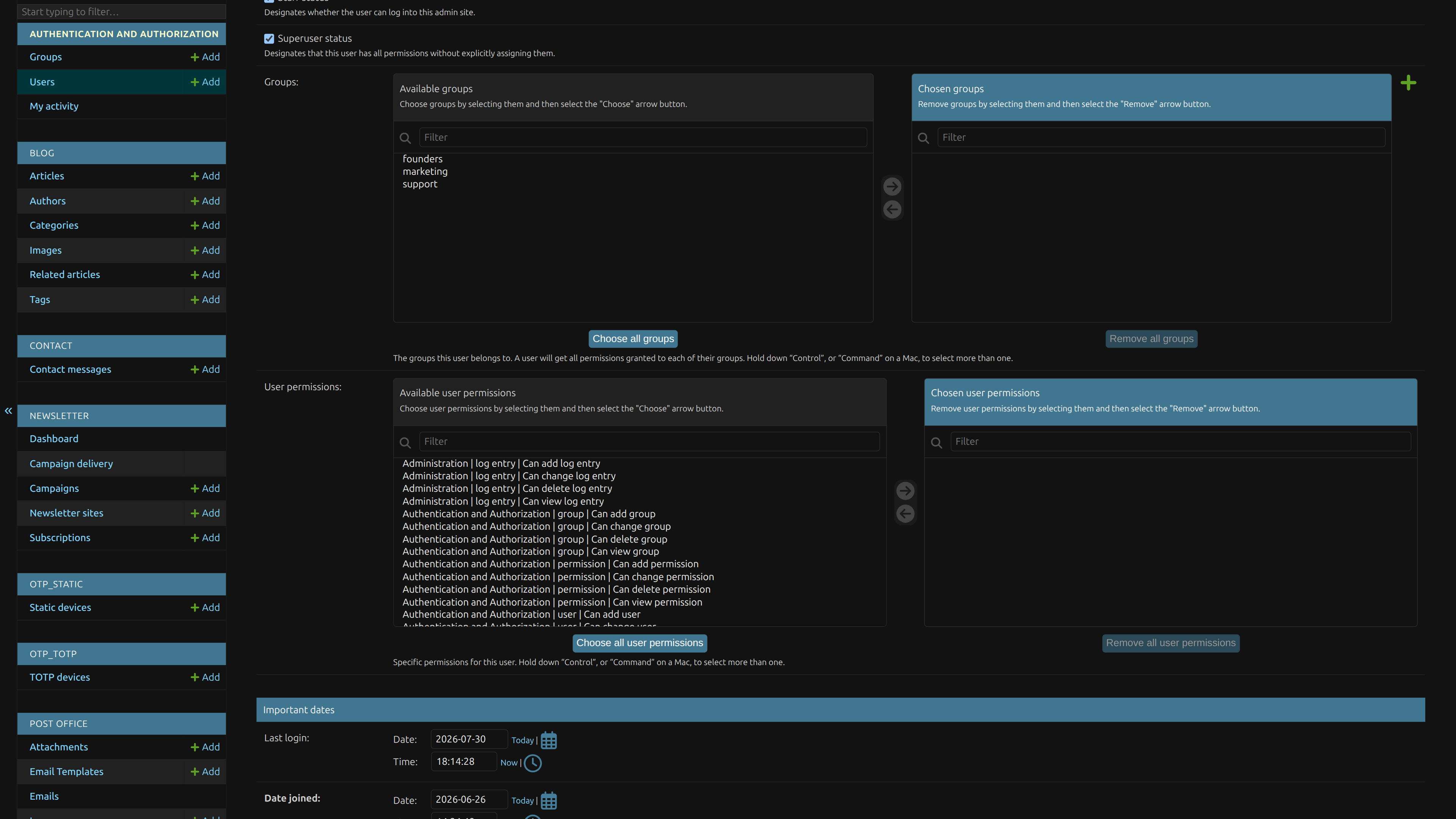
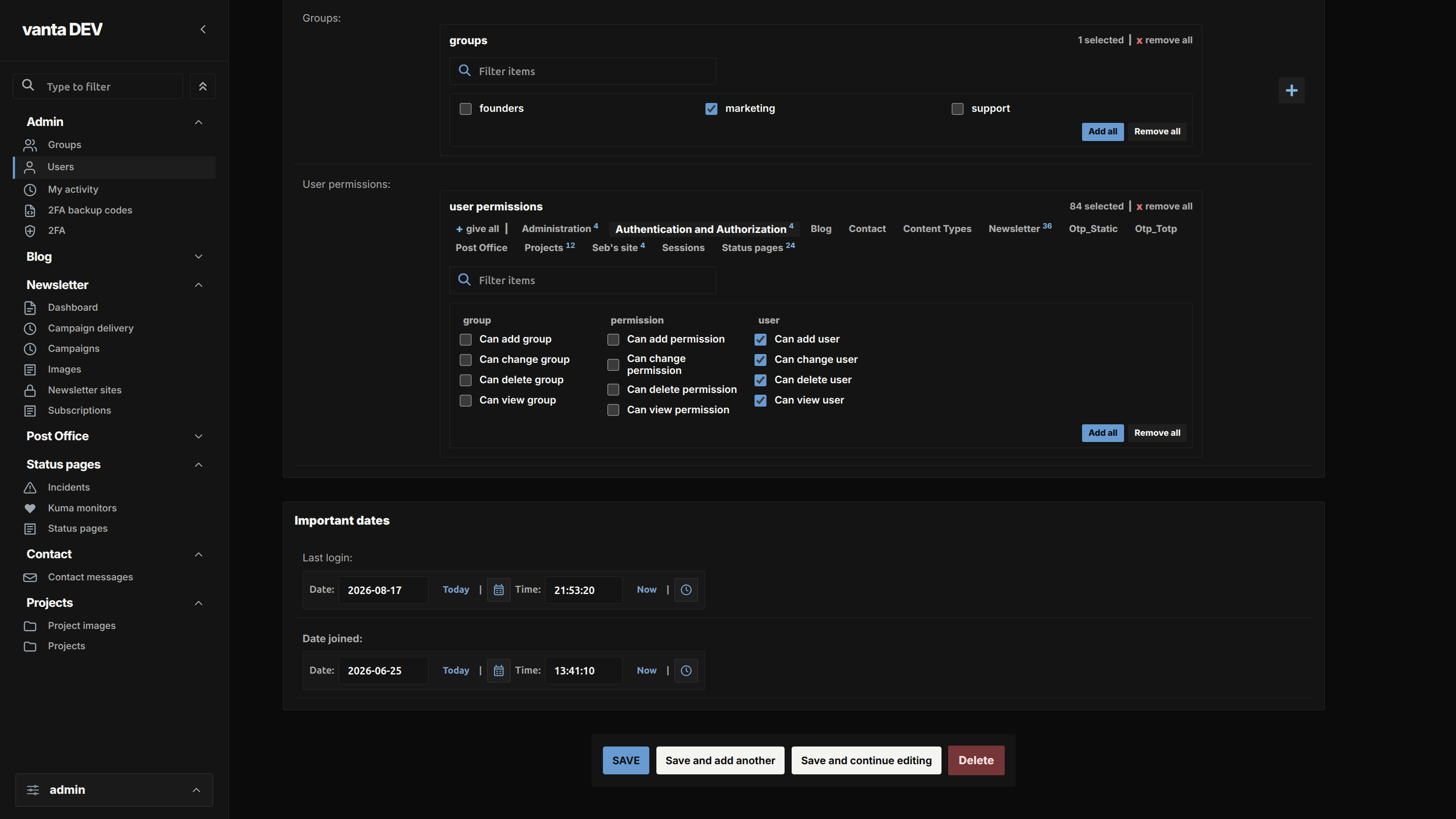
A fair comparison needs more than screenshots from two different demo projects. The three comparisons below use the same Django project, records, signed-in fictional user, page state, browser, English locale, and dark colour scheme. The Vanta side uses the released Vanta Admin 0.23.0. Both sides use Python 3.13.14 and Django 6.0.7.
Where does Vanta Admin fit?
Vanta Admin is a focused visual theme for teams that want a darker, denser, and more structured admin without replacing the parts of Django that already work. You keep Django's normal models, registrations, forms, permissions, URLs, authentication, and server-rendered pages.
Vanta changes the admin shell, navigation, common controls, tables, filters, messages, forms, colour mode, and behaviour on smaller screens. The browser remembers display preferences on that device. It does not replace Django's permissions, change your database structure, or turn the admin into a separate custom application.
The package supports Python 3.10 or newer and Django 5.2 up to, but not including, Django 7. The screenshots above are deliberately tied to Vanta Admin 0.23.0, Python 3.13.14, and Django 6.0.7 so you know exactly what they show. Installation follows the normal package-and-app-ordering steps.
If standard Django admin already works well for your team, Vanta is not the smallest choice. It is also the wrong layer when people need a completely different process, a different permissions model, dashboards with new business logic, or a separate frontend workflow. Those needs call for your own views or a larger back-office product.
What checklist can you reuse for any Django admin theme?
- Install it in a disposable branch with representative data.
- Open the same dashboard, populated changelist, and long form before and after.
- Test the real roles, permissions, custom actions, and admin views your team uses.
- Test light and dark modes, narrow screens, browser zoom, keyboard use, and long labels.
- Review package metadata, dependencies, supported versions, releases, and unresolved issues.
- Read the documentation for overrides, customisation, upgrades, and removal.
- Confirm that removing the theme would not remove behaviour owned by your project.
- Choose the smallest option that solves the actual problem.
Frequently asked questions
Does a Django admin theme change permissions?
No. A theme changes how the admin looks and behaves in the browser. Django models, permissions, forms, and business rules still control access and validation.
Should every Django project use an admin theme?
No. Keep standard Django admin when it already supports the team's work and a small ModelAdmin change or project-owned override solves the real problem.
When should I build a custom back office instead?
Build or adopt a larger back office when people need a workflow, permissions model, dashboard, or process that Django admin is not designed to provide.
Does a focused theme replace Django admin?
No. A focused theme keeps Django admin's normal models, registrations, forms, permissions, authentication, and server-rendered pages while changing the visual interface.
What should I test before choosing a theme?
Test representative data, real roles and permissions, custom actions, filters, long forms, narrow screens, keyboard access, browser zoom, supported versions, dependencies, upgrades, and removal.
A simple decision rule
Keep standard Django admin when it already supports the work. Choose a focused theme when navigation, presentation, and everyday usability are getting in the way. Build or adopt a larger back office when the workflow itself needs to change.